
LiteDB
This package manages table data used in games with SQLite and returns data internally through SQL queries using the WHERE clause.
Install
Section titled “Install”Choose one of the installation methods below.
Note: For the version after
#in the GitHub URL, check the latest changes listed in the changelog.
Install via Unity Package Manager (UPM)
Section titled “Install via Unity Package Manager (UPM)”- Open Unity Package Manager and click the
+button in the upper-left corner. - Select
Install package from git URL.... - Enter
https://github.com/achieveonepark/lite-db.git#1.0.1and click Install.
Manual Addition
Section titled “Manual Addition”Open the manifest.json file in your Unity project’s Packages folder.
Add the following line under dependencies.
"com.achieve.lite-db": "https://github.com/achieveonepark/lite-db.git#1.0.1"Setting
Section titled “Setting”- Install DB Browser.
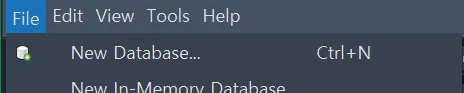
- Create a new database.
- Click Create Table and add tables and variables. See below for more details on variables.
- Add data to the table you created.
Create SQLite Table
Section titled “Create SQLite Table”- Type
| SQLite Type | C# Type |
|---|---|
| INTEGER | int, long |
| REAL | double, float |
| TEXT | string, enum, bool |
| BLOB | byte[] |
- PK: Primary Key. This package uses
Idas the primary key. - NN: Not Null. Set this for values that should not allow NULL, such as
bool. - AI: Auto Increment. Used on integer columns so the value automatically increases by 1 whenever a new row is added.
Usually used together with the primary key. - U: Unsigned. Used for numeric data types and indicates values greater than or equal to 0 with no negatives.
Create Table Data Class
Section titled “Create Table Data Class”CsvImporter supports a Code Generator, so you can also generate table data classes with one click.
Once the values above are set, you also need to create the class in Unity that will receive and use the data.
using Achieve.Database;using Unity.VisualScripting.Dependencies.Sqlite;
[Table("TowerData")]public class UnitData : IDataBase{    // Because queries use Id, this attribute and the PK setting are both required.    [PrimaryKey, AutoIncrement]    public int Id { get; set; }    public string Name { get; set; }    public double Attack { get; set; }    public double Defense { get; set; }    public double HP { get; set; }}
Quick Start
Section titled “Quick Start”LiteDB.Initialize($"{Application.persistentDataPath}/secure/data.db"); // Path
var data = LiteDB.Get<Quest>(1);
if (LiteDB.TryGetValue<Quest, int>("Quest", 1, out var quest)){ var reward = quest.reward;}
// If they exist, load values with Id 1 to 10 into a list.var list = LiteDB.GetList<Quest>(1, 10);
if(LiteDB.Exist<Quest>(1)){ // It exists!}